Index your footage once. Then search what was said, what is on screen and who is in frame, locally on your device, forever. 50+ formats including R3D, BRAW and ARRIRAW.


A024_Rooftop_Marcus.braw
sceneRooftop wide shot, Marcus at the ledge, city skyline, daylight
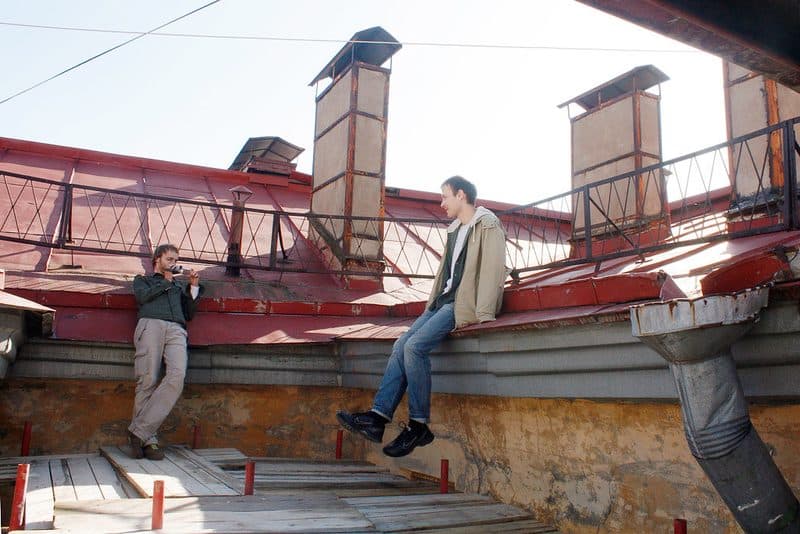
DOC_Marcus_Launch_04.R3D
transcript"...the launch is next week, so we shoot the rooftop cut on Friday..."

BTS_Rooftop_Day2.MP4
personMarcus detected at 00:02:17, 00:05:48

C0091_Terrace_Standup.mp4
objectObjects: rooftop terrace, railing, skyline, planters
Works with
your workflow.
Exports to your NLE. Reads cinema RAW natively.
Local folders, external drives, S3, SMB, Dropbox, Google Drive. FrameQuery watches for new files, deduplicates automatically, and handles 50+ formats out of the box.
| File | Source | Duration | Status |
|---|---|---|---|
R3DA001_C012_interview.R3D | RED RAW 2025 | 01:14:32 | Indexed |
BRAWB_Roll_Drone_4K.braw | BMPCC6K | 00:22:15 | Indexed |
MP4DOC_Interview_EP02.mp4 | Interviews | 00:32:15 | Indexed |
MOVProduct_Shoot_final_v3.mov | Dropbox | 00:08:44 | Processing |
R3Dbehind_the_scenes.R3D | RED RAW 2025 | 02:05:10 | Queued |
01
Auto-scan
New files picked up as they land
02
Smart dedup
Blake3 hashing catches duplicates
03
50+ formats
R3D, BRAW, ProRes, H.264, MKV…
04
GPU decoded
CUDA, ROCm, and Metal acceleration
A face, a phrase someone said, an object in frame. Search across transcripts, scenes, and people - results come back in milliseconds from your local index.

A001_C012_0814KN.R3D
personLena detected at 04:10, 21:44, 38:02

C0034_sunset_harbor.MP4
scene"...golden hour establishing shot at the harbor..."

DOC_Interview_EP02.mp4
sceneTwo-shot: researcher at desk, bookshelves

B_Roll_Drone_4K.braw
objectObjects: bridge, river, coastline
@lenaFind every clip of a person by face or voice
"golden hour"Match an exact phrase in transcripts or scenes
-backstageExclude results containing a word
100% offline
Search without an internet connection
Scene detection with shot type and angle. Object detection, plus face recognition on your computer. Speaker-separated transcripts with word-level timestamps. Voice recognition on your computer. Export straight to your NLE.

Interview subject describes childhood in rural village, soft lighting

Harbor at golden hour, boats and masts silhouetted against sunset

Aerial shot of rocky coastline meeting turquoise ocean
The village was completely different back then. The river ran right through the centre of town.
The migration patterns shifted dramatically. We tracked over two hundred species across the delta.
For decades, the coastline has been retreating. What remains tells the story of a changing world.
Draw on frames, leave comments at specific timecodes, track who's approved what. Share a link - reviewers don't need an account.

The opening statement lands well - love the energy here.
Can we tighten the transition? Feels a beat too long.
Agreed - trimming 2s should fix it.
Can we tone down the brightness of the tv?
Do we need to blur the logo?
No account needed to leave feedback
in 87 days · configurable 1–365 days
01
Frame annotations
Draw directly on any frame
02
Threaded comments
Pinned to exact timecodes
03
No account needed
Share a link, get feedback
04
Approval tracking
Approve, request changes, done
After indexing, share your index with your team, clients, or anyone - they can search all your footage for free, no account needed. Face and voice templates and the names you assign are never included in shared indexes; recipients can run their own recognition and label people themselves. Share via local export, Google Drive, Dropbox, or NAS on every plan. Cloud-hosted sharing on Pro+ adds streamable video previews and access management. Once indexed, it's yours: search offline, no subscription required.
Even if we disappeared
Your index lives on your machine. Search offline, back it up, use it years from now. Once indexed, your videos are searchable forever - no subscription required.
01
Shared indexes
One code, your whole team can search
02
Free for recipients
Searching a shared index costs nothing
03
Works offline
Entirely local index
04
Yours forever
Back it up, keep it, no subscription needed
Ingest, analyse, search, review, export. Cloud-indexed, locally searchable, all in one place.
50+
formats supported
100%
offline search
∞
search, forever
Ingest
Analysis
Search
Collaborate
You pay for the cloud compute that turns footage into a searchable dataset. Once indexed, search runs locally and costs nothing. Index a backlog on a bigger plan, then drop to Free and keep searching.
Monthly billing only, cancel anytime
What's included:
$540/yr billed annually, 2 months free
Everything in Starter, plus:
$2280/yr billed annually, 2 months free
Everything in Pro, plus:
Have more than 300 hours of existing footage? Book a call - we'll reach out for large archives.
Everything else is in the docs, or ask us directly.
Index your footage once and search it forever. Free search on every plan, cancel anytime.
Built by an editorFree search, foreverCancel anytime
